Nothing on welcome page #1329

Description

I followed the instructions for installing liteide at https://github.com/visualfc/liteide/blob/master/liteidex/deploy/welcome/en/install.md for a devuan system. It was a struggle to get the dependencies for Qt configured; I found I had to create a symlink for qmake to point at the qt6 version of qmake in order for the build to proceed, but figuring out the names of all the Qt packages was also a challenge. (I couldn't find a metapackage to do this.) But once I had all the dependencies installed and various envars set, I was able to proceed with the build.
I switched to root to perform the install, and it looks to me that it succeeded; I saw nothing indicating an error (though any errors might have scrolled by amid the mass of traces from the build and deployment scripts, so I could have missed some). I copied the liteide.desktop file to my ~/Desktop directory, and was able to launch liteide from either the command line or from the desktop icon.
When the program comes up, the main canvas is blank. I expected it to look something like https://www.i-programmer.info/images/stories/Core/OtherLang/Go/liteidewelcome.gif to appear. Indeed, the "welcome.html" file is in the build area, but I cannot find it in the install areas. It seems to me that not only the html file was not installed, but there may be additional software that needs to be installed in order for the links on that page to work.
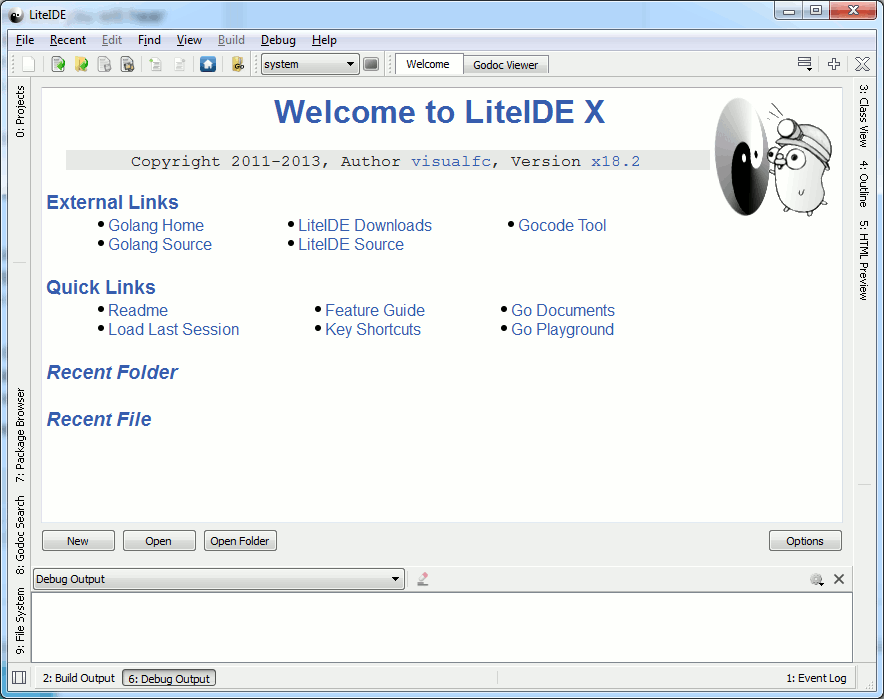
Is my install complete, and it's just that some scripts have been updated since the snapshot seen in the i-programmer.info image? Will I be wasting my time trying to use it this way? I hope I don't need to hack the build, setup, and deployment scripts!