Simple time tracking extension for Gnome 45-49.
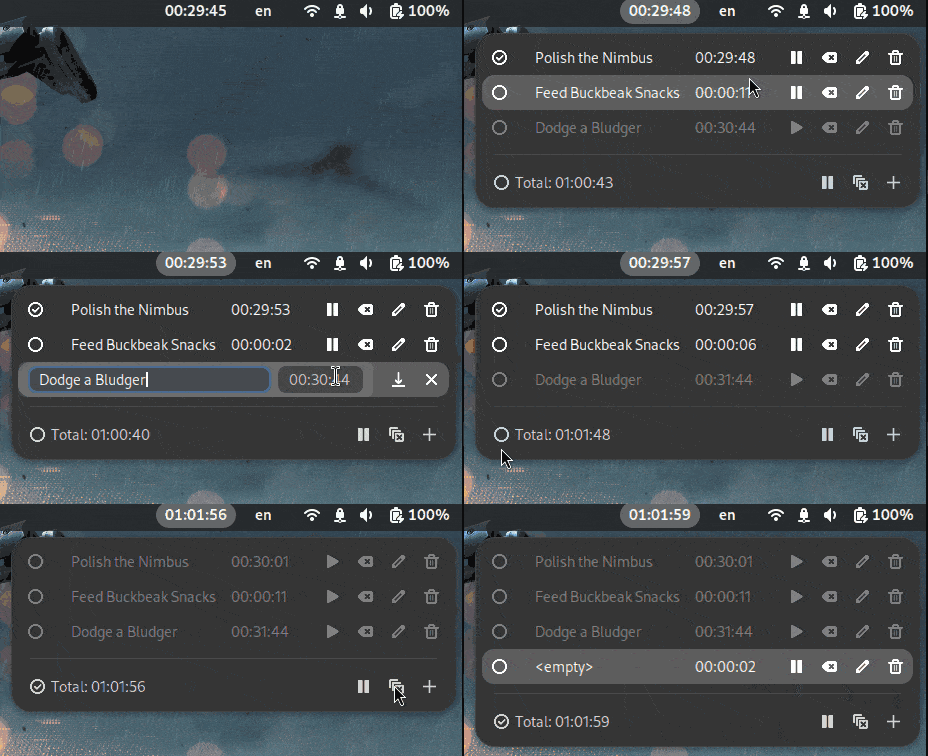
Features:
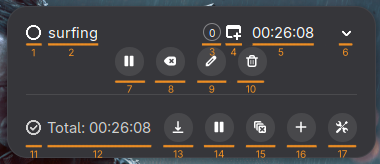
- Multiple timers
- Start/Stop: start or pause individual timers with one click
- Reset: reset individual timers or all of them at once
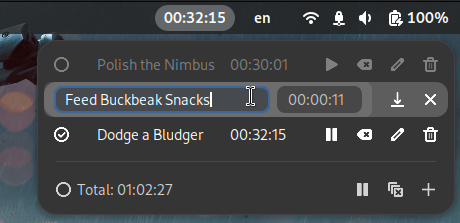
- Edit name and time
- Selection: choose specific timers or display the total time
- Persistent storage: timers are automatically saved and restored between sessions
- Screen locking and sessions: automatically pauses all active timers when the screen is locked or a session ends
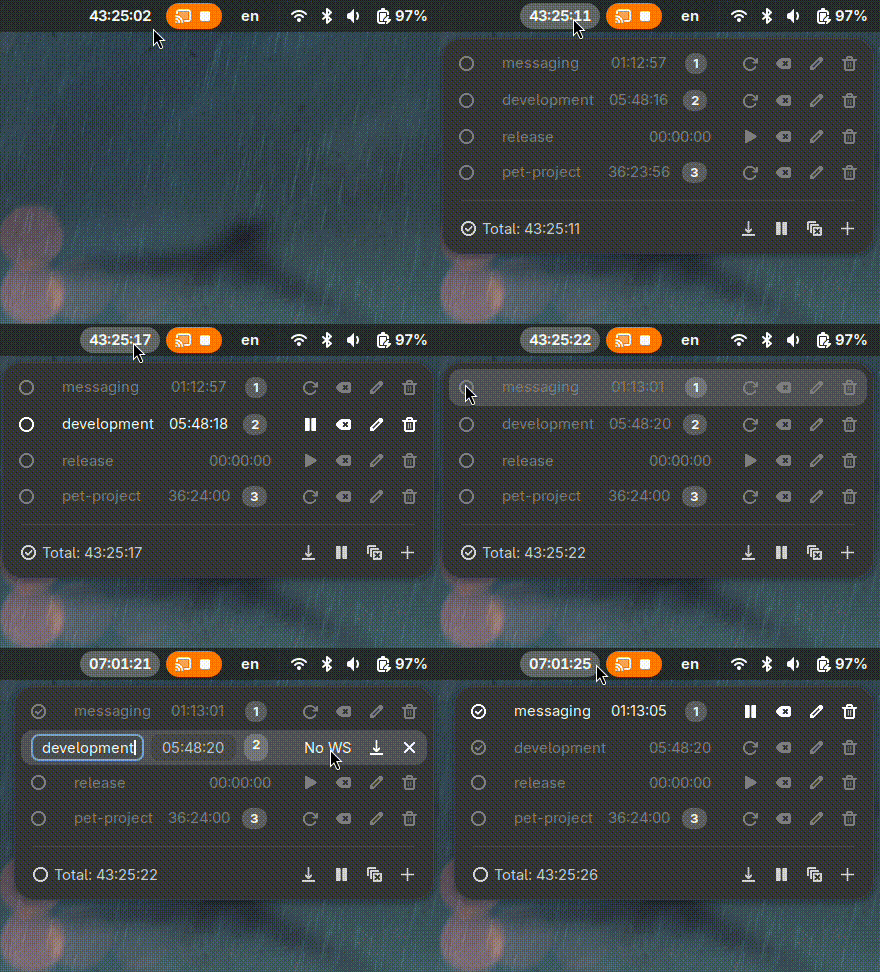
- Workspace-based tracking: optionally associate timers with specific workspaces to automatically start/pause them upon switching
- Keyboard navigation: edit timers using keyboard shortcuts (e.g., Tab, Enter, and Escape for editing)
- Export current timers to CSV manually
- Automatic backup: automatically export timers to CSV at configurable intervals
- Associate timers with specific workspaces to automatically start/pause them upon switching
- Timers associated with workspaces automatically pause/resume on screen locking/unlocking and logout/login
The extension now supports automatic backup functionality:
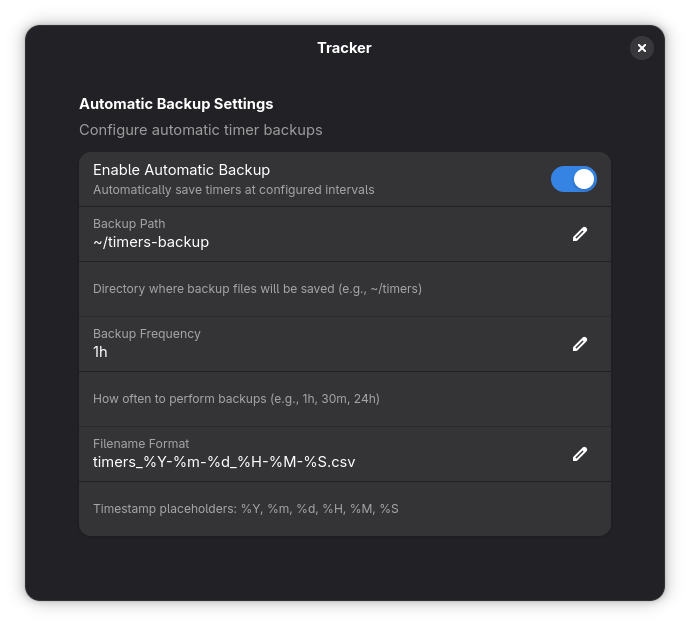
- Enable automatic backup: Toggle the "Enable automatic backup" setting
- Configure export path: Set the directory where backup files will be saved (e.g.,
~/timersor/home/user/backups) - Set export frequency: Define how often backups should occur using format like:
1hfor every hour30mfor every 30 minutes24hfor every day
- Customize filename format: Use timestamp placeholders in filenames:
%Y- Year (e.g., 2025)%m- Month (e.g., 09)%d- Day (e.g., 24)%H- Hour (e.g., 14)%M- Minute (e.g., 30)%S- Second (e.g., 45)
Backup files are saved in CSV format with headers "Name" and "Time".



