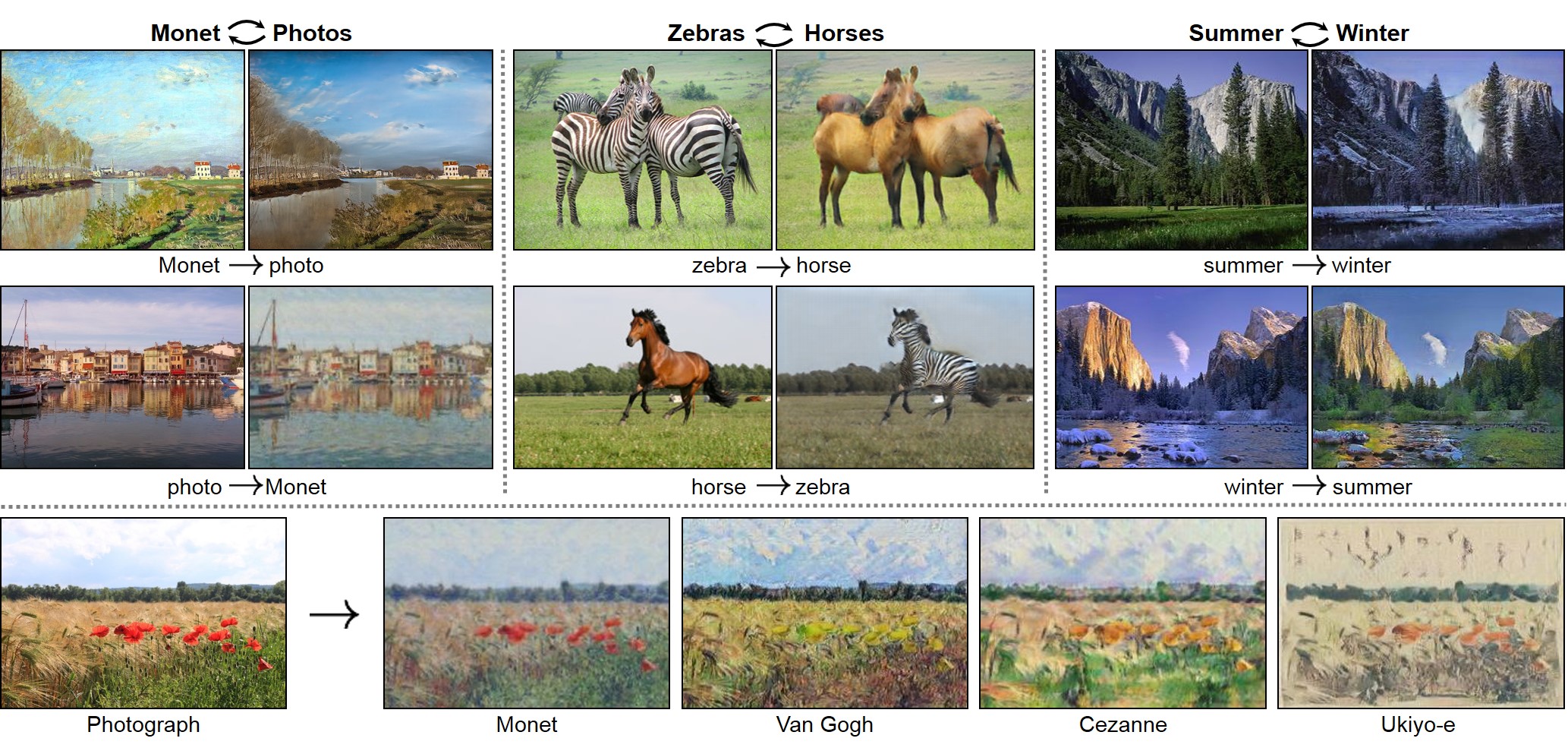
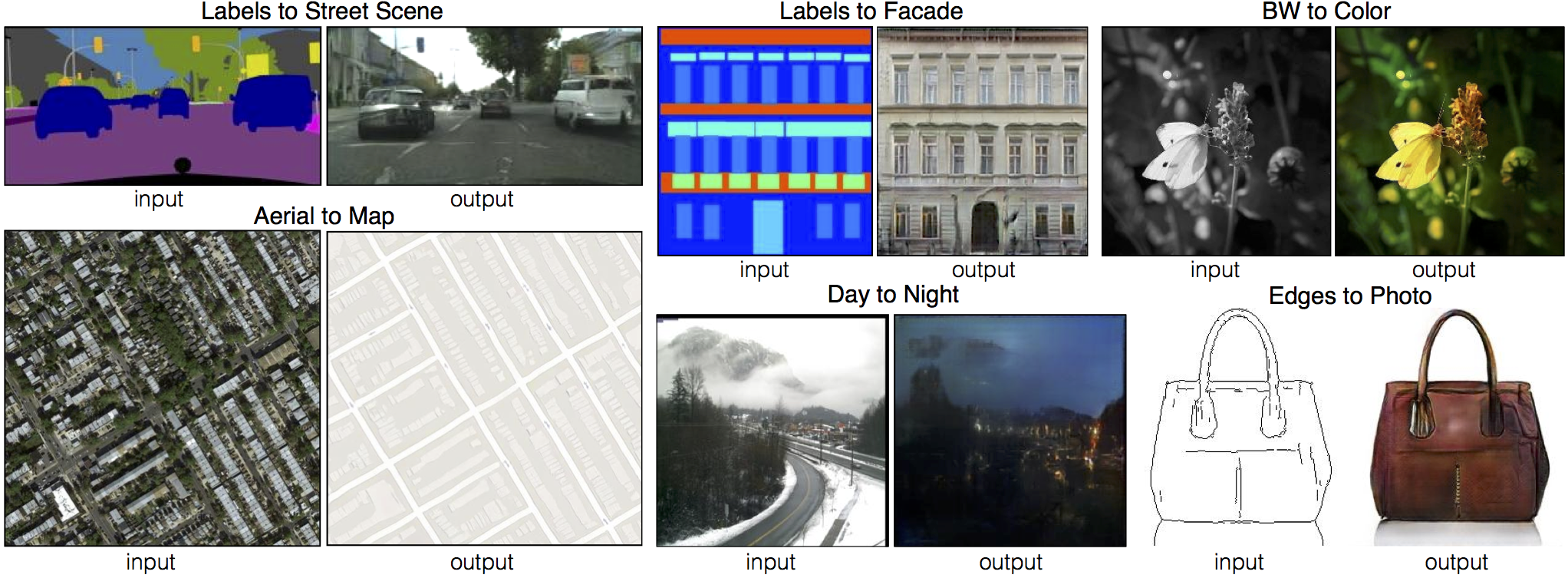
This is a concise refactoring version of official PyTorch implementation for image-to-image translation.
- More readable and reusable.
- Use abstract externel OneGAN estimator with tailored functional closures.
- Use TensorBoard to visualize the
scalarandimagein training procedure.
- Python 3.6+
- PyTorch >=
0.3andtorchvision>=0.2 - OneGAN >= 0.3.1
- Download a CycleGAN dataset (e.g. maps):
bash ./datasets/download_cyclegan_dataset.sh maps
- Train a model:
python train.py --dataroot ./datasets/maps --name maps_cyclegan --model cycle_gan --no_dropout
- To view training results and loss, run
tensorboard --logdir logsand open the URL http://localhost:6006 - Test the model:
python test.py --dataroot ./datasets/maps --name maps_cyclegan --model cycle_gan --no_dropout
- Download a pix2pix dataset (e.g.facades):
bash ./datasets/download_pix2pix_dataset.sh facades
- Train a model:
python train.py --dataroot ./datasets/facades --name facades_pix2pix --model pix2pix --dataset_mode aligned \
--which_model_netG unet_256 --which_direction BtoA --lambda_A 100 --no_lsgan --norm batch --pool_size 0
- To view training results and loss, run
tensorboard --logdir logsand open the URL http://localhost:6006 - Test the model:
python test.py --dataroot ./datasets/facades --name facades_pix2pix --model pix2pix --dataset_mode aligned \
--which_model_netG unet_256 --which_direction BtoA --norm batch
If you would like to apply a pre-trained model to a collection of input photos (without image pairs), please use --dataset_mode single and --model test options. Here's command to apply a model to Facade label maps (stored in the directory facades/testB).
python test.py --dataroot ./datasets/facades/testA/ --name {pre_trained_model_name} --model test --dataset_mode singleYou might want to specify --which_model_netG to match the generator architecture of the trained model.
Download the pre-trained models using ./demo/pretrained_models/download_pix2pix_model.sh. For example, if you would like to download label2photo model on the Facades dataset,
bash demo/pretrained_models/download_pix2pix_model.sh facades_label2photoThen generate the results using
python test.py --dataroot ./datasets/facades/ --name facades_label2photo_pretrained --model pix2pix --dataset_mode aligned \
--which_model_netG unet_256 --which_direction BtoA --norm batch
Note that we specified --which_direction BtoA to accomodate the fact that the Facades dataset's A to B direction is photos to labels.
Also, the models that are currently available to download can be found by reading the output of bash demo/pretrained_models/download_pix2pix_model.sh
- CPU/GPU (default
--gpu_ids 0): set--gpu_ids -1to use CPU mode; set--gpu_ids 0,1,2for multi-GPU mode - Preprocessing: images can be resized and cropped in different ways using
--resize_or_crop- The default option
'resize_and_crop'resizes the image to(opt.loadSize, opt.loadSize)and random crop to(opt.fineSize, opt.fineSize) 'crop'performs random cropping'scale_width'resizes the image's width toopt.fineSizewhile keeping the aspect ratio'scale_width_and_crop'resizes the image toopt.loadSizeand random crop to(opt.fineSize, opt.fineSize)
- The default option
- Fine-tuning/Resume training: use
--continue_trainand load the model based onwhich_epoch. By default, epoch count is 1, set--epoch_count <int>to specify a starting epoch count
Download the CycleGAN datasets using the following script. Some of the datasets are collected by other researchers. Please cite their papers if you use the data.
bash ./datasets/download_cyclegan_dataset.sh dataset_namefacades: 400 images from the CMP Facades dataset. [Citation]cityscapes: 2975 images from the Cityscapes training set. [Citation]maps: 1096 training images scraped from Google Maps.horse2zebra: 939 horse images and 1177 zebra images downloaded from ImageNet using keywordswild horseandzebraapple2orange: 996 apple images and 1020 orange images downloaded from ImageNet using keywordsappleandnavel orange.summer2winter_yosemite: 1273 summer Yosemite images and 854 winter Yosemite images were downloaded using Flickr API. See more details in our paper.monet2photo,vangogh2photo,ukiyoe2photo,cezanne2photo: The art images were downloaded from Wikiart. The real photos are downloaded from Flickr using the combination of the tags landscape and landscapephotography. The training set size of each class is Monet:1074, Cezanne:584, Van Gogh:401, Ukiyo-e:1433, Photographs:6853.iphone2dslr_flower: both classes of images were downlaoded from Flickr. The training set size of each class is iPhone:1813, DSLR:3316. See more details in our paper.
To train on your own datasets, you need to create a data folder with two subdirectories trainA and trainB that contain images from domain A and B. You can test the model on training set by setting --phase train with test.py, and can also create subdirectories testA and testB if you have test data.
Download the pix2pix datasets using the following script. Some of the datasets are collected by other researchers. Please cite their papers if you use the data.
bash ./datasets/download_pix2pix_dataset.sh dataset_namefacades: 400 images from CMP Facades dataset. [Citation]cityscapes: 2975 images from the Cityscapes training set. [Citation]maps: 1096 training images scraped from Google Mapsedges2shoes: 50k training images from UT Zappos50K dataset. Edges are computed by HED edge detector + post-processing. [Citation]edges2handbags: 137K Amazon Handbag images from iGAN project. Edges are computed by HED edge detector + post-processing. [Citation]
We provide a python script to generate pix2pix training data in the form of pairs of images {A,B}:
Create folder /path/to/data with subfolders A and B. A and B should each have their own subfolders train, val, test, etc. Put training images in style A at /path/to/data/A/train, and put corresponding images in style B at /path/to/data/B/train. Repeat for other data splits (val, test, etc).
Corresponding images in a pair {A,B} must be the same size and have the same filename, e.g., /path/to/data/A/train/1.jpg is considered to correspond to /path/to/data/B/train/1.jpg.
Once the data is formatted this way, use:
python datasets/combine_A_and_B.py --fold_A /path/to/data/A --fold_B /path/to/data/B --fold_AB /path/to/dataThis will combine each pair of images (A,B) into a single image file, ready for training.