Lang: EN / KO
Use Sudden+ in DJMAX, and maybe more?
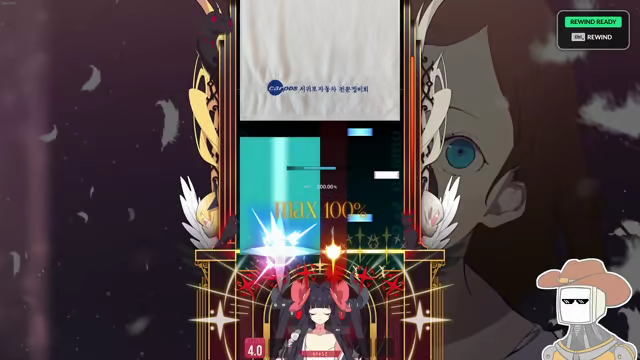
- Start DJMAX RESPECT V. Wait until epilepsy warning gone off.
- Run DJMAXPlus and switch back to the game.
- You will see "DJMAXPlus now operational" notification.
- Close popup, and open config editor with F2.
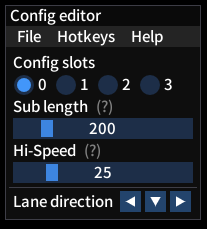
Essential functions of DJMAXPlus is explained inside program itself.
Check (?) marker or Help menu for informations.
You can change display language on File > Language menu.
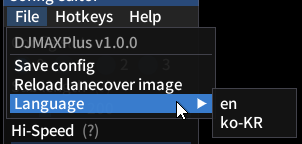
Currently supporting Korean and English.
You can check and change hotkeys on Hotkeys menu.
Click item you want to change and Hotkey editor prompt will show up.
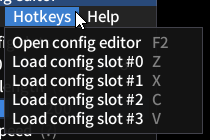
Hotkey specified in image above is what assigned as default.
You can put image named "cover" and in supported format(like cover.png)
on the same directory with DJMAXPlus to load it as a lanecover image.
Currently supporting still image of PNG, WebP, TIFF, JPEG, GIF.
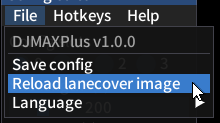
You can load new lanecover image without restarting whole game
by swap image file with new image with the same resolution
and click File > Reload lanecover image menu.
I Don't know.
Please note that the author isn't liable for your DJMAX account ban.
At least I will also be banned if you did.
Technically it's lot similar to Steam or Discord overlay,
and similar functionality can be obtained with always-on-top transparent window.
It doesn't provide any cheats about key input, so maybe it's on grey zone.
But nothing is guaranteed until officially permitted by developer.